I don’t consider myself an advanced user or consumer of YouTube. I rely mainly on its algorithm to show me videos that it thinks will interest me based on what I’ve searched for recently along with my actual viewing history. Like many others, the amount of channel subscriptions I’ve accumulated over time has grown, and to my dismay, there’s really no clean way for someone to quickly view the videos of a channel via the clunky YouTube interface. I’m a fan of RSS, but I understand that it can be viewed by many as an archaic way to consume website articles. But is it possible to add a YouTube channel as an RSS feed and be able to quickly see whether a channel has a new video or not? Would there be a benefit to doing this? I discovered the answer is yes to both questions.
So the obvious first question is just why? Why waste time doing this, and how will it benefit me? While what I discuss here is clearly not for everyone, if you have ever found yourself asking these questions below or wondering about certain things concerning YouTube, then this article might help you:
- How can I group the hundreds of channels I’ve subscribed to so that they are more organized? For example, I want to group channels into separate categories such as news, education, investing, food, travel, etc.
- Is there a way to just watch and consume videos with minimal distractions? For example, I don’t care about what video will play next. I don’t care about suggested videos and I surely don’t want to scroll around looking at what video I could play next due to my short attention span. More importantly, I want to either hide or not be able to view user comments at all because they can be so toxic and distracting. Or maybe there are some specific videos of a channel that you want to force yourself to watch first and then read/write the comments afterwards?
- I want to be updated whenever a channel has a new video, but for whatever reason, I don’t want to actually subscribe to the channel itself. While I can bookmark the URL, I won’t know if there is a new video unless I manually go to the channel itself from within the browser, which is a huge waste of time.
- For whatever reason, I don’t want YouTube to know that I watch certain videos under my logged in Gmail account. This could be for privacy reasons or simply because I don’t want those videos to influence the algorithm of what YouTube will recommend to me.
RSS has been around the block for many, many years, and it can be a great way to get not just notified of when a website has new content out but also to view the content right from the RSS reader itself without having to visit the actual website. There can obviously be restrictions on this, such as the website creator putting their content behind a paywall or simply only showing a snippet of text for each article in their RSS feed, forcing you to visit their website in order to consume the entire article, free or not. With YouTube channels, there’s actually a way to extract the RSS feed and add the feed to your favorite RSS reader. However, some of the readers are not capable of allowing you to watch the video in the reader software itself. You’d have to actually click on the title, and it will then take you to the site in your browser. Not ideal, but you still get the benefit of at least knowing when a channel has uploaded a new video by looking at the feed counter. Recently, however, I discovered a free RSS reader on macOS that allows you to view the videos directly without having to leave the reader itself. No sign-in required.
If you aren’t fond of RSS, there are a small number of niche apps and services out there that can also help provide a more organized approach to sorting out your YouTube feeds as well as offering a minimalistic viewing experience. One such web service is Velty. A free alternative, for now while in beta, is called Serial. Another useful app is called Unwatched for YouTube. Unfortunately, the app is also for macOS only.
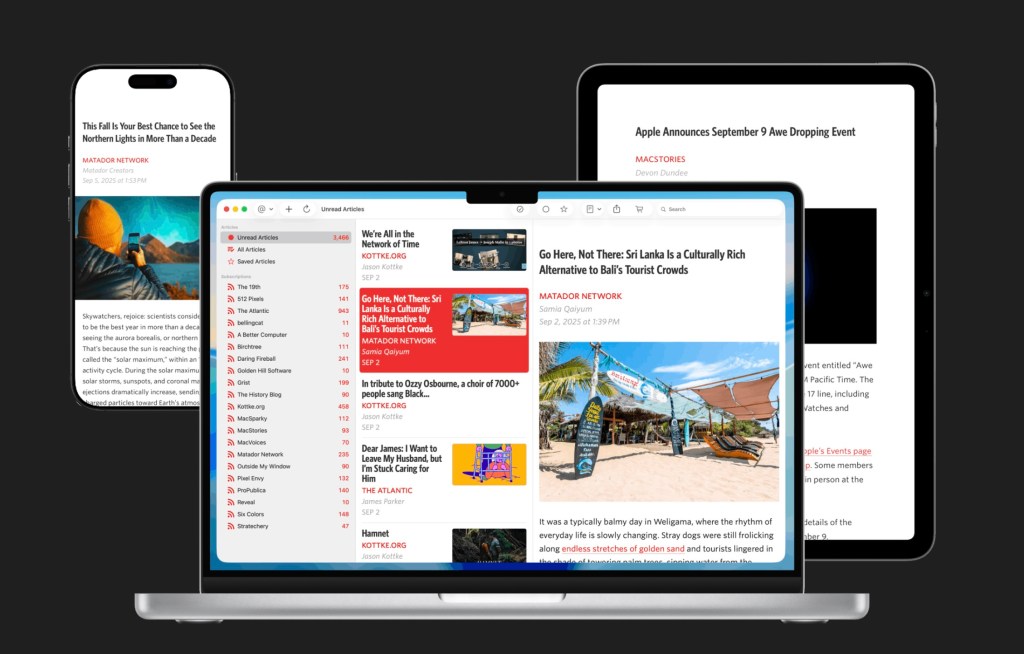
The RSS app itself is called Unread. Anyone who has ever used an RSS reader will be familiar with the app. While there is a paid edition, I found that the free version works extremely well and has everything I need for what I want it to do.
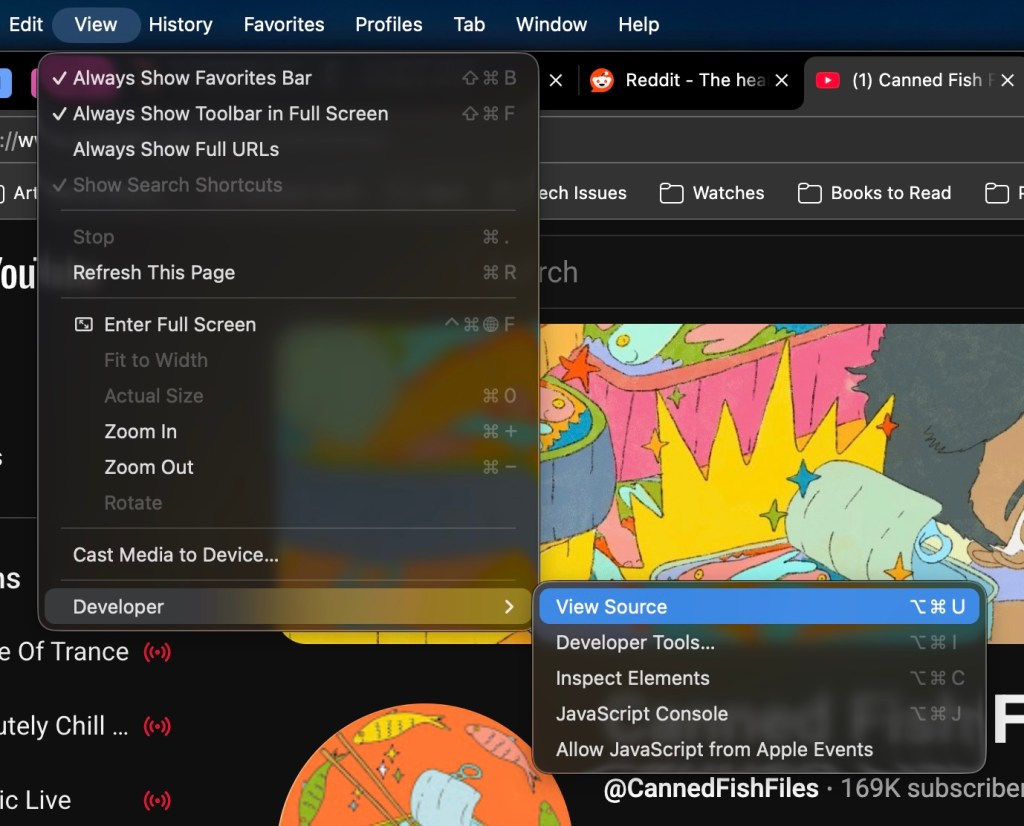
It’s really simple to obtain the RSS feed/URL of a YouTube channel. I’m using Microsoft Edge as my browser, but the steps should be similar in Chrome or any other browser of choice. On the main channel’s website, I’d go to View –> Developer –> View Source:
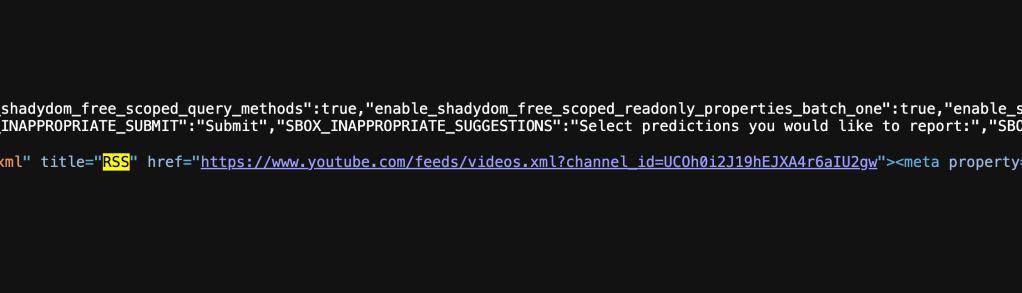
In the new tab or window that appears with what seems to be lines of code, use your browser’s search function, usually Cmd+F, and search for the word ‘rss’. In the first result, you should see the actual RSS URL feed for that YouTube channel. Copy that link, create a new RSS subscription in Unread, paste the link, and voila.
Here is a look at a small section of some of the food channels in my feed:
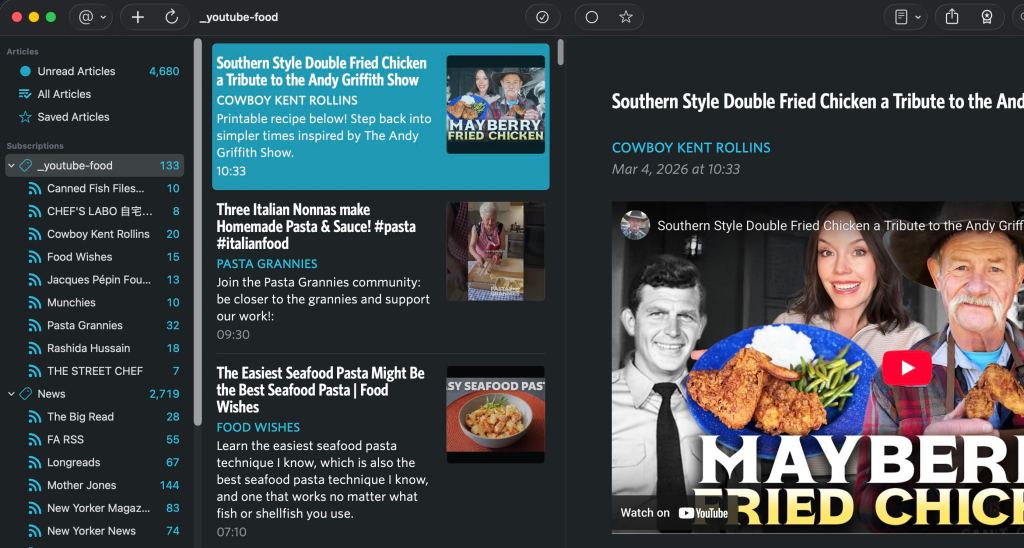
You can organize your channels however you like by creating different tags. Notice how you are now able to quickly and easily see whether or not your favorite channel has a new video upload based on the feed counter. Notice how I’m also now able to click on the tag/category as seen in the screenshot above and instantly be able to see all the recent videos of all the combined feeds under that one tag.
Obviously, and I mean obviously, YouTube has more modern techniques to notify you of channel updates and whatnot, but once again, I think there is a small subset of users out there that will appreciate the simplistic approach to the RSS method like myself. Being able to watch your videos without distractions is one of them, as well as not having to provide YouTube/Google with data on your viewing history and behavior.



 The Mindless Catalog
Leave a comment